Keyword Clustering in Python: A Technical Guide for SEO Automation
By RankTree Team · 2026-06-22 · Updated 2026-10-14
Part of the Keyword Clustering: The Complete Guide for SEO Success guide →
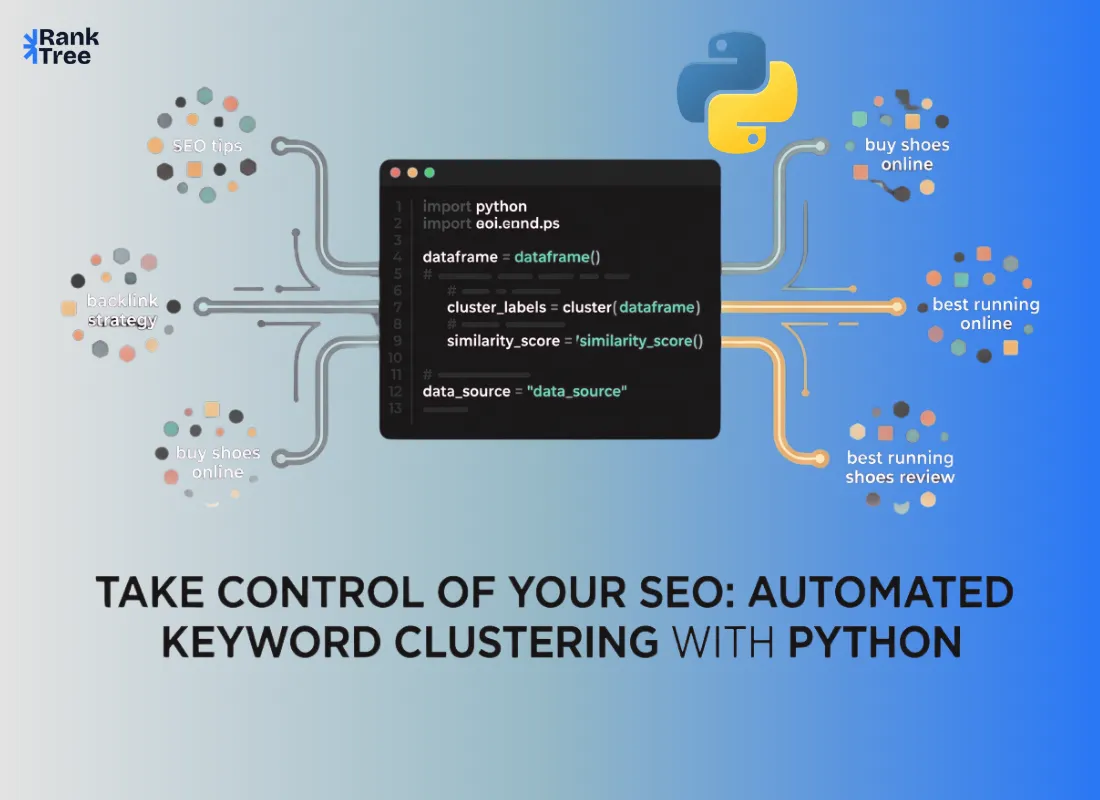
Keyword clustering tools are fast and convenient but function as black boxes where you input keywords, get clusters and have no control over the logic. If results are wrong you can’t fix them, only restart.
Python changes that entirely.
Python solves this by giving full control. With a few lines of code you can build a clustering script using your own thresholds logic and data sources while being able to debug and refine it as your SEO strategy evolves.
This guide walks through keyword clustering with Python from start to finish covering the libraries, the algorithms and the full working process written for SEO professionals who can follow code even if they do not write it daily.
How does keyword clustering in Python work? Python based keyword clustering gives full control over the process by letting you set your own similarity thresholds and algorithms instead of relying on a commercial tool's black box logic.
The workflow: export keywords to CSV, preprocess them with NLTK stemming or spaCy word vectors to normalize variations, then vectorize the list using TF-IDF for fast word overlap grouping or spaCy for semantic similarity.
Run scikit-learn's DBSCAN algorithm, which discovers clusters without a fixed count and flags low frequency keywords as noise, tuning the eps and min_samples parameters until clusters match manual grouping.
Export the labeled results to CSV for content planning. Python suits large keyword datasets, programmatic SEO, and custom pipelines pulling data from Google Search Console, while paid SERP based tools remain better for validating real ranking overlap, so the strongest workflow combines Python for initial grouping with SERP data to confirm each cluster before finalizing a content plan.
Why Use Python for Keyword Clustering?
Before diving into the technical side it is worth being clear about what Python gives you that off-the-shelf tools do not.
Full control over clustering logic
Commercial tools choose their own similarity thresholds, clustering algorithms and intent classification methods. Python lets you set every parameter yourself which matters when your niche behaves differently from the generic SaaS or e-commerce datasets those tools are tuned for.
Scale without per-keyword pricing
Most paid clustering tools charge by keyword volume or run counts. A Python script processes thousands of keywords at zero marginal cost once it is set up.
Custom data pipelines
You can pull keywords directly from Google Search Console via API merge data from multiple sources clean and deduplicate programmatically and feed the results straight into a content brief template all within the same script.
Reproducibility
Every clustering run is documented in your code. If you need to re-cluster six months later with updated data you run the same script. No manual steps, no configuration lost.
For SEO teams managing large content programs this kind of automation compounds significantly over time. Understanding how to do keyword clustering manually is the foundation of Python is how you scale that process.
Libraries You Need to Know
Three Python libraries handle most keyword clustering work. Understanding what each one does helps you choose the right approach for your use case.
NLTK (Natural Language Toolkit)
NLTK is one of the oldest and most widely used NLP libraries. Its key feature for clustering is stemming, reducing words to their root form so “clustering” “clustered” and “clusters” map to “cluster.”
It includes Porter Stemmer (fast language-independent) and Snowball Stemmer (language-specific slightly cleaner for European languages). For English SEO both work well.
spaCy
spaCy is a modern NLP library built for speed and accuracy. Its key feature for keyword clustering is word vectors mathematical representations that capture semantic meaning, allowing related words like “software” and “application” to be grouped even without shared terms.
It also supports lemmatization, part-of-speech tagging, and cosine similarity. The en_core_web_md model provides pre-trained vectors and is the standard starting point for English keyword clustering.
scikit-learn
scikit-learn is Python's primary machine learning library and provides the clustering algorithms that group your keyword vectors into meaningful clusters. For keyword clustering specifically two algorithms are most relevant:
DBSCAN (Density-Based Spatial Clustering of Applications with Noise)
Groups keywords based on how densely packed they are in vector space. Unlike k-means it does not require you to specify the number of clusters in advance it discovers them based on the data. It also marks low-frequency or ambiguous keywords as noise which keeps your clusters clean.
Agglomerative Clustering
Builds a hierarchy of clusters by progressively merging the closest pairs. It works well when you want to control cluster granularity through a similarity threshold rather than a fixed cluster count.
TF-IDF Vectorization (also in scikit-learn) converts keyword text into numerical vectors based on word frequency and importance, a simpler alternative to word vectors that works well for pattern-based grouping at scale.
The Full Keyword Clustering Workflow in Python
Here is the complete process from raw keyword list to usable cluster output.
Step 1: Prepare Your Keyword List
Export your keyword list to a CSV file with a single column named keyword. Sources can include Google Keyword Planner, Ahrefs, SEMrush or Google Search Console. Do not pre-filter aggressively; a broader input list produces better cluster coverage.
import pandas as pd
df = pd.read_csv("keywords.csv")
keywords = df["keyword"].dropna().tolist()
Remove obvious duplicates at this stage but keep long-tail variants and question-based keywords; these are often where the most valuable cluster opportunities hide.
Step 2: Preprocess Keywords
Preprocessing reduces keywords to their core meaning so that variations of the same term group together correctly. Apply lowercase conversion stemming or lemmatization and stopword removal.
import nltk
from nltk.stem import PorterStemmer
nltk.download("stopwords")
from nltk.corpus import stopwords
stemmer = PorterStemmer()
stop_words = set(stopwords.words("english"))
def preprocess(keyword):
tokens = keyword.lower().split()
tokens = [stemmer.stem(t) for t in tokens if t not in stop_words]
return " ".join(tokens)
processed = [preprocess(kw) for kw in keywords]
This step ensures that "keyword clustering tool" and "keyword clustering tools" are treated as the same concept during grouping which matters for cluster accuracy at scale.
Step 3: Vectorize Keywords
Convert processed keywords into numerical vectors that the clustering algorithm can work with. TF-IDF vectorization is fast interpretable and works well for large keyword lists.
from sklearn.feature_extraction.text import TfidfVectorizer
vectorizer = TfidfVectorizer()
vectors = vectorizer.fit_transform(processed)
If you are working with spaCy word vectors instead which captures semantic similarity more accurately replace this with:
import spacy
nlp = spacy.load("en_core_web_md")
vectors = []
valid_keywords = []
for kw in keywords:
doc = nlp(kw)
if doc.has_vector:
vectors.append(doc.vector)
valid_keywords.append(kw)
The spaCy approach handles semantic similarity "content grouping" and "keyword clustering" would likely land in similar vector space even without shared words. TF-IDF handles exact and near-exact word overlap. Both are useful depending on your clustering goal.
Step 4: Run the Clustering Algorithm
Apply DBSCAN clustering to the vectorized keywords. Two parameters control the output quality:
eps the maximum distance between two keywords to be considered part of the same cluster. Lower values produce tighter, more precise clusters. Higher values merge more keywords together.
min_samples the minimum number of keywords required to form a cluster. Set this to 2 for SEO work so that even small clusters are preserved.
from sklearn.cluster import DBSCAN
import numpy as np
# For TF-IDF vectors (sparse matrix)
clustering = DBSCAN(eps=0.5, min_samples=2, metric="cosine")
labels = clustering.fit_predict(vectors)
For spaCy vectors convert to a dense array first:
from sklearn.cluster import DBSCAN
from sklearn.preprocessing import normalize
vector_array = normalize(np.array(vectors))
clustering = DBSCAN(eps=0.3, min_samples=2, metric="cosine")
labels = clustering.fit_predict(vector_array)
Keywords assigned label -1 are noise that did not fit any cluster. These are worth reviewing manually as they sometimes represent unique intent opportunities that deserve their own standalone pages.
Step 5: Export Cluster Results
Organize the output into a readable format and export to CSV for use in your content planning workflow.
results = []
for keyword, label in zip(keywords, labels):
results.append({"keyword": keyword, "cluster": int(label)})
output_df = pd.DataFrame(results)
output_df.to_csv("clustered_keywords.csv", index=False)
print(f"Clustering complete: {output_df['cluster'].nunique()} clusters found")
The output file gives you each keyword alongside its cluster ID. From here you can sort by cluster, assign page types based on dominant intent and map each cluster to your content architecture.
Why This Hybrid Approach Works?
Each layer solves a different limitation:
TF-IDF → fast and scalable grouping
spaCy → semantic understanding
SERP similarity → real-world intent validation
Individually each method has weaknesses. Combined they produce clusters that are both accurate and SEO-relevant.
When to Use This Approach?
This hybrid system is ideal for:
Large keyword datasets (1000+ keywords)
Programmatic SEO workflows
Content clustering for topic authority
Detecting keyword cannibalization
Tuning Your Clustering Results
The first run rarely produces perfect clusters. These adjustments fix the most common output problems.
Clusters too large (unrelated keywords grouped together): Lower the eps value (e.g. 0.3 instead of 0.5) to tighten similarity or increase min_samples to require more keywords per cluster.
Too many noise keywords (label -1): Slightly increase eps or reduce min_samples to 2. Noise may represent unique intent or keywords just outside the threshold.
Related keywords in different clusters: Switch from TF-IDF to spaCy word vectors. TF-IDF groups by word overlap while spaCy groups by meaning so similar phrases may cluster better with spaCy.
Validating Output Before Using It
Automated clustering should always go through a manual validation pass before being used for content decisions. Spend 20 to 30 minutes reviewing the output and checking for:
Keywords with clearly different search intents in the same cluster
Clusters that should be merged because they cover the same page topic
Noise keywords that actually belong in an existing cluster
This validation is non-negotiable. Every clustering algorithm makes mistakes; the errors are just different depending on which algorithm you use.
Understanding the different types of keywords helps significantly here because intent mismatches between informational and commercial keywords are the most common clustering error and the easiest to spot on review.
When Python Clustering Beats Paid Tools And When It Does Not?
Python clustering is ideal for large-scale processing, full parameter control, custom pipelines, and niche industries where generic tools fall short.
Paid tools are better for SERP-based validation, built-in intent classification, and non-technical workflows.
The best approach combines both: use Python for initial grouping and cleaning, then validate clusters with SERP data before finalizing your content plan.
Final Thoughts
Python gives SEO professionals what no off the shelf tool can: full visibility into clustering logic and the ability to adjust it. If clusters look wrong you don’t accept them, you tweak parameters and rerun the script.
Start with the structure above, test it on real keywords and fine-tune eps and min_samples until results match manual grouping. Then integrate the output into your content workflow and scale it.
The setup effort pays off every time you process new keyword sets without per-keyword costs or relying on tools that may not fit your niche.
FAQs
Do I need to know Python well to use keyword clustering scripts?
Basic familiarity is enough. The process is simple: read data, process it, cluster it and export results. If you can run Python files and install libraries you can use these scripts. SEO knowledge matters more than coding.
Which is better for keyword clustering DBSCAN or k-means?
DBSCAN is usually better for SEO because it doesn’t require a fixed number of clusters and identifies noise. K-means forces all keywords into clusters which looks cleaner but can cause intent errors. Use k-means only if you know the exact number of clusters.
Can I run keyword clustering on Google Search Console data with Python?
Yes. You can pull queries via the API, export them to CSV and run clustering. This helps uncover content gaps and cannibalization issues using real traffic data.
How accurate is semantic clustering with spaCy vs SERP-based clustering?
SpaCy is good for linguistic similarity but doesn’t reflect actual search intent. Keywords may seem similar but rank differently. Always validate with SERP data. SpaCy is best for initial large-scale grouping.
What file format should I use for keyword input?
CSV with a single “keyword” column is best. One keyword per row. You can also use Excel with pandas processing remaining the same.
Is "keyword clustering in Python" the same as "clustering keywords with Python"?
Yes — they're the same technique described two ways. Whether you search for keyword clustering python, clustering keywords python, or keyword grouping python, the workflow is identical: embed each keyword, group by similarity (or run DBSCAN/k-means as covered above), then validate against SERP overlap before finalizing pages.
RankTree Team — The RankTree team writes about SEO strategy, keyword clustering, and topical authority to help you build content that ranks.